Sample accurate tempo sync
Locks to the DAW transport clock or a manual project BPM, with sixteen note subdivisions per channel including straight, dotted and triplet.
Time Effect · v4.0.3
Tempo Delay runs two fully independent delay buffers, each with its own note division, cross-channel ping-pong routing that throws repeats across the stereo field, and filtered feedback that reshapes every pass on its way round the loop.
Hear it first
Two renders of one performance, switched instantly so the playhead never moves. Both are matched to −12 LUFS integrated, because at different levels the louder one always wins and the comparison tells you nothing.
Rendered through Tempo Delay 4.0.1 at 44.1 kHz. Both files measure −12.0 LUFS integrated with a −3.1 dBTP true peak, so the only difference you hear is the effect.
The interface
The delay engine sits on the surface: sync, divisions, independent feedback per side, width and mix. Tone, modulation and routing are one tab away, never a nested page.
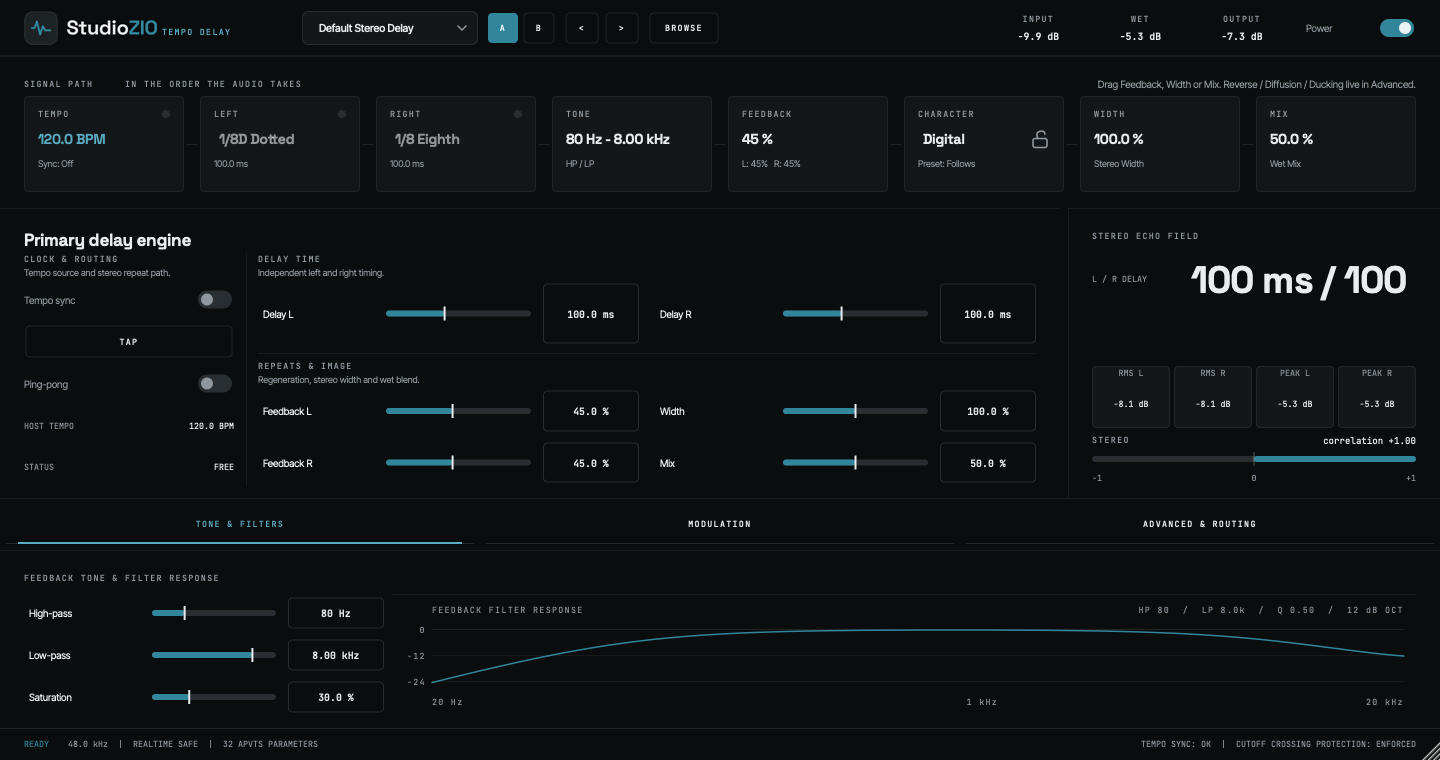
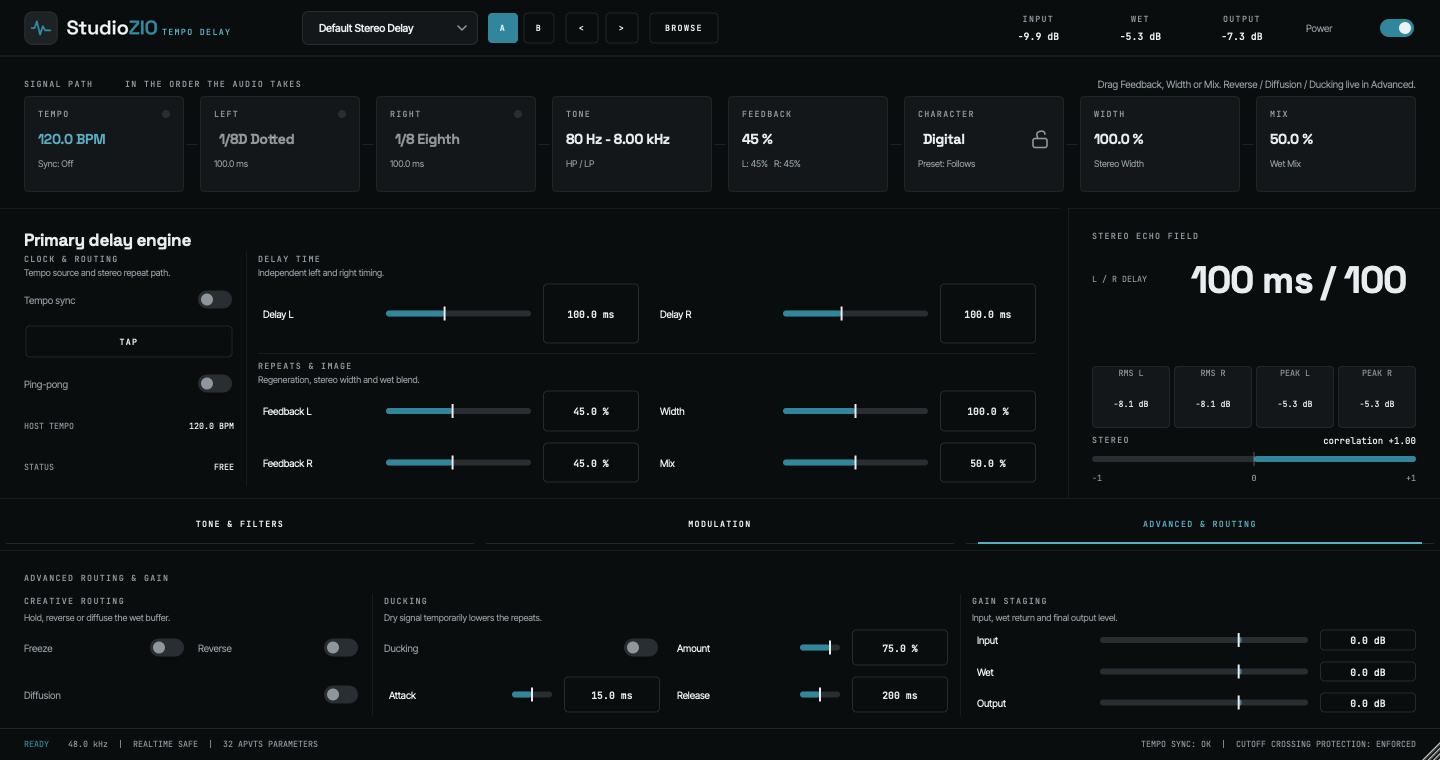
Architecture
Every stage of the delay is addressable on its own, and every stage stays out of the way of the ones around it.
Locks to the DAW transport clock or a manual project BPM, with sixteen note subdivisions per channel including straight, dotted and triplet.
Decoupled left and right delay lines. Run 1/4 on the left against 1/8D on the right, or free millisecond timing from 1 to 5000 ms.
One toggle swaps the feedback matrix from parallel repeats to cross-channel bounces travelling across the stereo field.
A soft-clipping saturation stage sits inside the feedback path, moving from subtle harmonic warmth to hard analog crunch on the tails.
Dual 12 dB per octave high-pass and low-pass filters run inside the loop, so every repeat is carved again as it decays.
A width matrix from 0% mono collapse to 200% extra wide, for centred vocal throws or fully opened ambient tails.
Signal Flow Simulator
Change the routing mode, tempo and note divisions to watch audio travel through both delay buffers, the cross-channel feedback matrix, the drive and tone stage, and the width matrix.
This diagram demonstrates DSP signal routing mechanics: ping-pong cross feedback, delay times and feedback filters. It is not the native plug-in interface.
Continuous impulseResting
At rest the diagram is still. Hold an impulse in the loop to watch the passes travel: while it runs the amplitude stays pinned, and once stopped each pass decays away until the loop is empty again.
Parameter reference · v4.0.3
All 32 automatable APVTS parameters in Tempo Delay, with the purpose of each control and the note on how it behaves inside the engine. Ranges and defaults are read from the plug-in source, not transcribed.
Showing 32 / 32
Global & Sync
master_enableOff / On
Master DSP processing toggle with click-free crossfaded bypass.
Executes realtime-safe crossfaded bypass without digital transients.
What makes it different
Most stereo delays compute a single time and derive the other channel from it. This one runs two independent buffers, which changes what you can write rather than just how it sounds.
Reads land between sample positions using Hermite interpolation rather than snapping to the nearest one, and the modulation LFO moves those same interpolation points. Dragging a delay control bends pitch the way tape does instead of tearing.
Digital, Tape and Analog are three processing paths inside the feedback loop rather than three EQ presets on the output. Digital stays full bandwidth, Tape warms the top end as it saturates, and Analog is darker on every pass.
Freeze locks the buffer and mutes new input so a tail sustains indefinitely. Reverse reads the same buffer backwards. Diffusion smears discrete taps through an all-pass network into an ambient wash, and ducking tracks the dry input envelope to pull the wet down while you are still playing.
Left and right LFOs run at one rate with an adjustable phase angle between them, so the channels drift apart instead of wobbling together. Spread sets that angle: at 100 per cent the right channel runs ninety degrees behind the left, which is as far apart as they go, and the movement reads as width rather than as vibrato.
Specification
The numbers below are the ones the plug-in itself reports to the host.
OFFICIAL macOS INSTALLER
Version 4.0.3 · Audio Unit (AU) · VST3 · AAX · Standalone · Pro Tools verified
Free to download and use — a signed, notarized .pkg, with no licence key and no account. Free to use in personal and commercial music productions. The installer download is 15.9 MB and needs 150 MB of free disk space once installed. Check it against this SHA-256 before you open it.
StudioZIOTempoDelay-v4.0.3-macOS-arm64.pkgAlso from StudioZIO
The mastering chain that sits at the end of the same signal path.
Installation
One signed, notarized installer puts all four formats in the standard macOS plug-in folders. Tempo Delay 4.0.3 is built for Apple Silicon (arm64) only and needs macOS 12 or later.
Get StudioZIOTempoDelay-v4.0.3-macOS-arm64.pkg from the download panel above. It comes from the StudioZIO release registry, and the panel lists its SHA-256; to check your copy, run shasum -a 256 on the file in Terminal and compare the two.
Double-click the .pkg. It is Developer ID signed and notarized by Apple, so macOS Installer opens it as it is. No security setting needs to change.
The Installation Type step lists four components: Audio Unit, VST3, AAX for Pro Tools, and the Standalone application. All four are selected; untick any format you do not use.
Click Install and confirm with an administrator password. The components go into the shared system folders listed below, so every account on the Mac can use them.
Quit and reopen your DAW so it scans its plug-in folders again. Most hosts scan at launch; some also offer a manual rescan in their plug-in settings.
Look for StudioZIO Tempo Delay under the manufacturer StudioZIO in the plug-in list. Without a host, open StudioZIOTempoDelay from Applications.
/Library/Audio/Plug-Ins/Components/StudioZIOTempoDelay.component/Library/Audio/Plug-Ins/VST3/StudioZIOTempoDelay.vst3/Library/Application Support/Avid/Audio/Plug-Ins/StudioZIOTempoDelay.aaxplugin/Applications/StudioZIOTempoDelay.appStudioZIO Verified means direct test evidence for that host; format support only means the host loads the format, not that StudioZIO has tested it there. The current record is on the compatibility page.
Logic Pro validates Audio Units when it starts; its Plug-in Manager shows the result. For a check outside any host, run auval -v aufx Tdel Szio in Terminal: it ends with AU VALIDATION SUCCEEDED when the Audio Unit is installed and loads. In Pro Tools, the plug-in appears in an insert slot's plug-in menu after the next launch.
Check that the bundle is at the path listed above for your format, that the Mac runs macOS 12 or later, and that the host runs natively on Apple Silicon: a host opened with Rosetta cannot load an arm64-only plug-in. Then quit and reopen the host or rescan. If it is still missing, open an issue on StudioZIO Support or use the contact form, with your macOS version, host and version, and the format you tried.